
If you’ve been building anything with AI lately, you’ve probably heard someone say that MCP is “the new API”. It’s not. The MCP vs API discussion makes more sense once you realize that MCP is generally layered on top of APIs and is not replacing them. One is how software speaks to software. The other is how consistently an AI model finds and uses that software.
So what is an API?
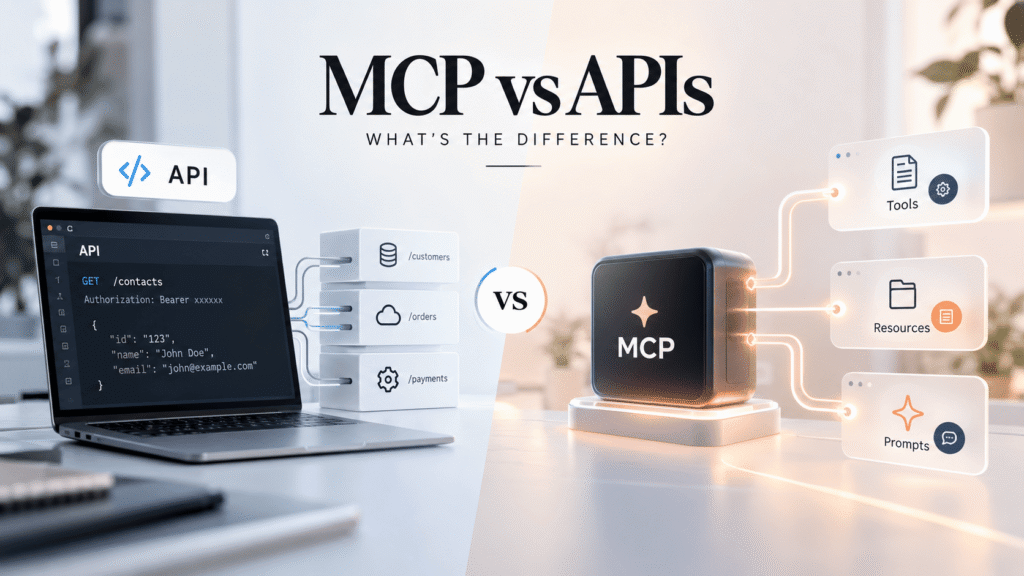
An API (Application Programming Interface) is a contract. It’s a developer telling you: you send a request in this format to this endpoint, you will get this response back. A REST call to a CRM’s /contacts endpoint, a GraphQL query, a webhook from a payment gateway. All of these are APIs.
APIs are for developers who read the docs, write the code and decide exactly which calls happen when. Each service develops its own endpoints, auth flow and data formats. That flexibility is powerful, but it also means that each integration is a custom job.
What Is MCP Server Used For?
Model Context Protocol (MCP) is an open standard for connecting AI apps to external tools and data, released by Anthropic in late 2024. An MCP server wraps a system, like a database, a CRM or a file store, and exposes it to AI clients in one predictable format.
An MCP server usually offers three things:
- Tools: things the AI is able to do, like “create a lead” or “run a query.
- Resources – data for the AI to read such as files or records
- Prompts: templates for common tasks
The only difference is discovery. An AI client can ask an MCP server “what can you do?” and get back a list of tools described by runtime. With a raw API, a developer has to hard-code that knowledge up front.
MCP vs API: Comparison Chart
Factor API tradisionalserver MCP
- Purpose: Connect any software with a serviceConnect AI apps with tools and data
- Architecture Client calls endpoints directly Host app runs MCP client to communicate with MCP servers (JSON-RPC)
Data access Each endpoint defined by each providerAs tools and resources in a common format
Tool discovery – Read the docs, write code ahead of timeClient lists available runtime tools
Authentication API Keys, OAuth, depends on the serviceServer authenticates to backend Spec defines OAuth for remote servers
Integration effort Custom code per serviceBuild once, run on any MCP-compatible clients
AI Compatibility Requires function definitions per modelDesigned for AI customers & agents
Standardization Conventions (REST, GraphQL) not one standardA single open protocol
Typical use cases.Web and Mobile apps, Payments, Backend servicesAI helpers, coders, AI agents
How an API is used by an AI App vs MCP Server
- Direct API path: You write a model function definition, you write code that calls the CRM API, you handle auth and errors, and you repeat for every model or app you support.
- MCP route: Once someone builds (or you install) a CRM MCP server. An MCP compatible assistant can connect and discover tools such as search_contacts and update_deal and then call them. The server still calls the same CRM API under the hood.
Examples Real World
- CRM systems: a sales team asks an AI assistant to summarize open deals; an MCP server turns that into CRM API calls.
- Databases: An MCP server has read-only query tools so that an analyst can ask questions in simple language.
- SaaS platforms: Multiple AI clients can use tools like project trackers or docs on one server.
- Business automation: scheduled jobs and webhooks still work best with plain APIs, no model in the loop.
- AI agents: Agents that chain steps across multiple systems benefit the most from consistent tool discovery.
When to Use APIs, MCP, or Both
- APIs are for when your code controls every step: payment flows, mobile apps, backend jobs, high-volume or latency-sensitive work.
- Use MCP if you have an AI model that needs to choose which tool to call, or if you want one integration to work across multiple AI clients.
- Most real projects use both: the API is the foundation and an MCP server is the AI-friendly layer on top.
Limitations, Security and Breaches
MCP adds another moving part to run, monitor and version. The ecosystem is still new, so server quality varies and certain specs are still evolving.
Security Needs Serious Attention:
- Give servers the least access they need, use read-only tools where possible.
- Only install MCP servers from trusted sources. Check what tools they provide.
- Beware of prompt injection, where the content the AI is reading attempts to prompt undesired tool calls.
- Require human authorization for sensitive actions such as deleting records or transferring money.
Plain APIs have their own risks too: leaked keys, over-broad scopes, and bad rate limiting. MCP doesn’t fix them, it inherits them.
Conclusion
The MCP versus API question is not about choosing a winner. APIs continue to be the backbone of software integration. MCP provides a standard, discoverable way for AI models to use those APIs. If you’re building AI features, start with good APIs, then add MCP where you do really want an assistant or agent to flexibly access tools.
Frequently Asked Questions
MCP is not a substitute for APIs?
Most MCP servers just call existing APIs behind the scenes. MCP is an AI access layer, not a replacement.
Is MCP just for Claude?
No. It’s an open protocol, more and more AI apps, IDEs and agent frameworks are supporting it.
Do I need MCP to make my product AI?
Not necessarily. If you have a single model and a few fixed actions, direct function calling using your API might be simpler.
Is MCP safe?
It can be, if you limit permissions, vet servers, and keep a human in the loop for risky actions.
Is it possible to build an MCP server for my own API?
Sure. There are official SDKs in a number of languages and a simple server wrapping a few endpoints is a manageable project.
Is calling API directly slower than MCP?
There is an extra hop so some overhead is possible. Depends on your setup, test it for your use case